COLD DAMAGE
FREE
Add to cart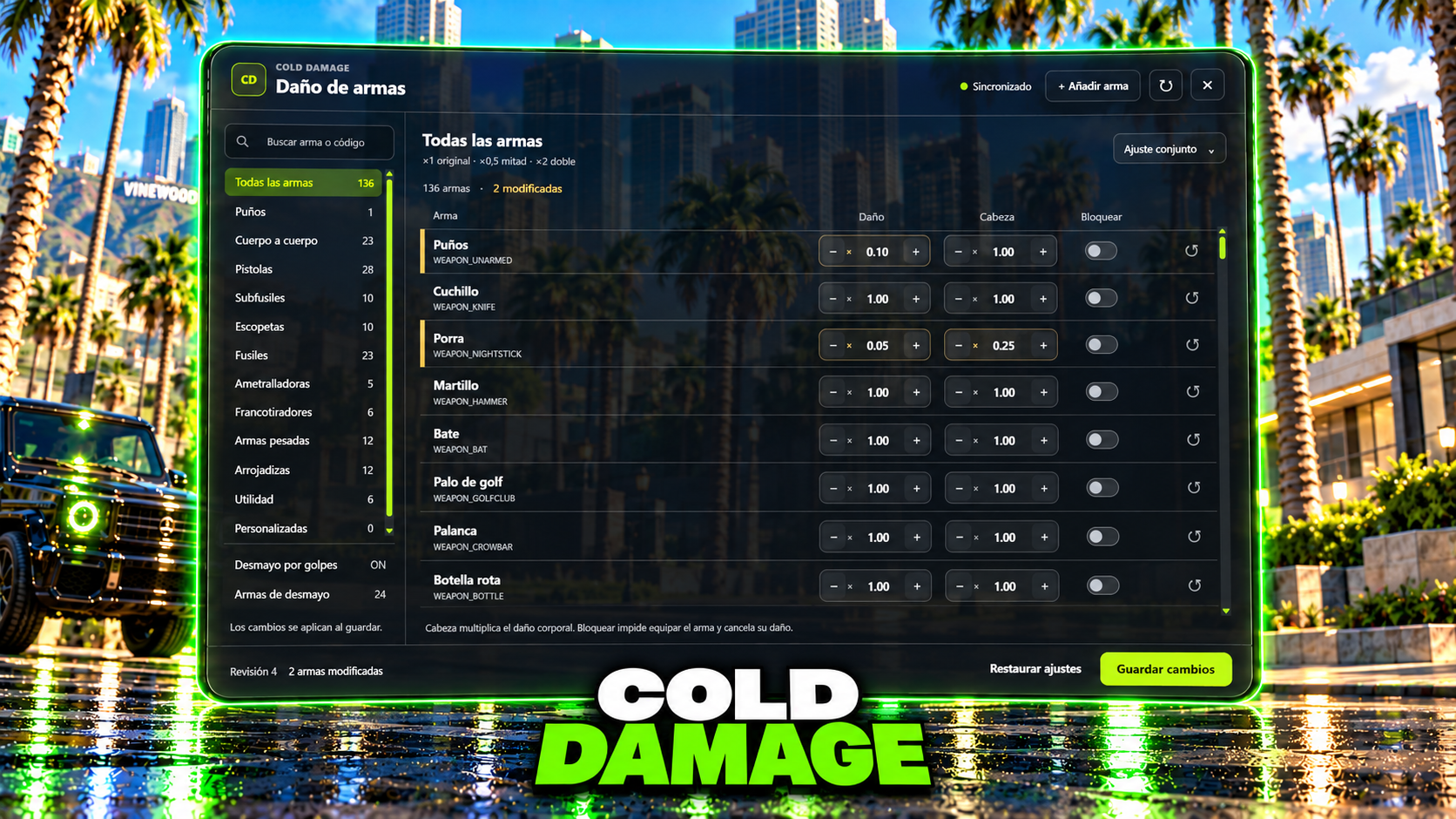
FREE
Add to cartCOLD DAMAGE lets you adjust weapon damage and knockout rules from inside your FiveM server. Open /damage, find the weapon you want to change and save. The settings synchronize with players and remain saved after a resource restart.
Set body damage and headshot multipliers separately, block weapons or apply the same settings to a whole category. Search by name or spawn code to find a specific weapon. Custom weapons can be added to the list using their spawn name; their models must already be installed on the server.
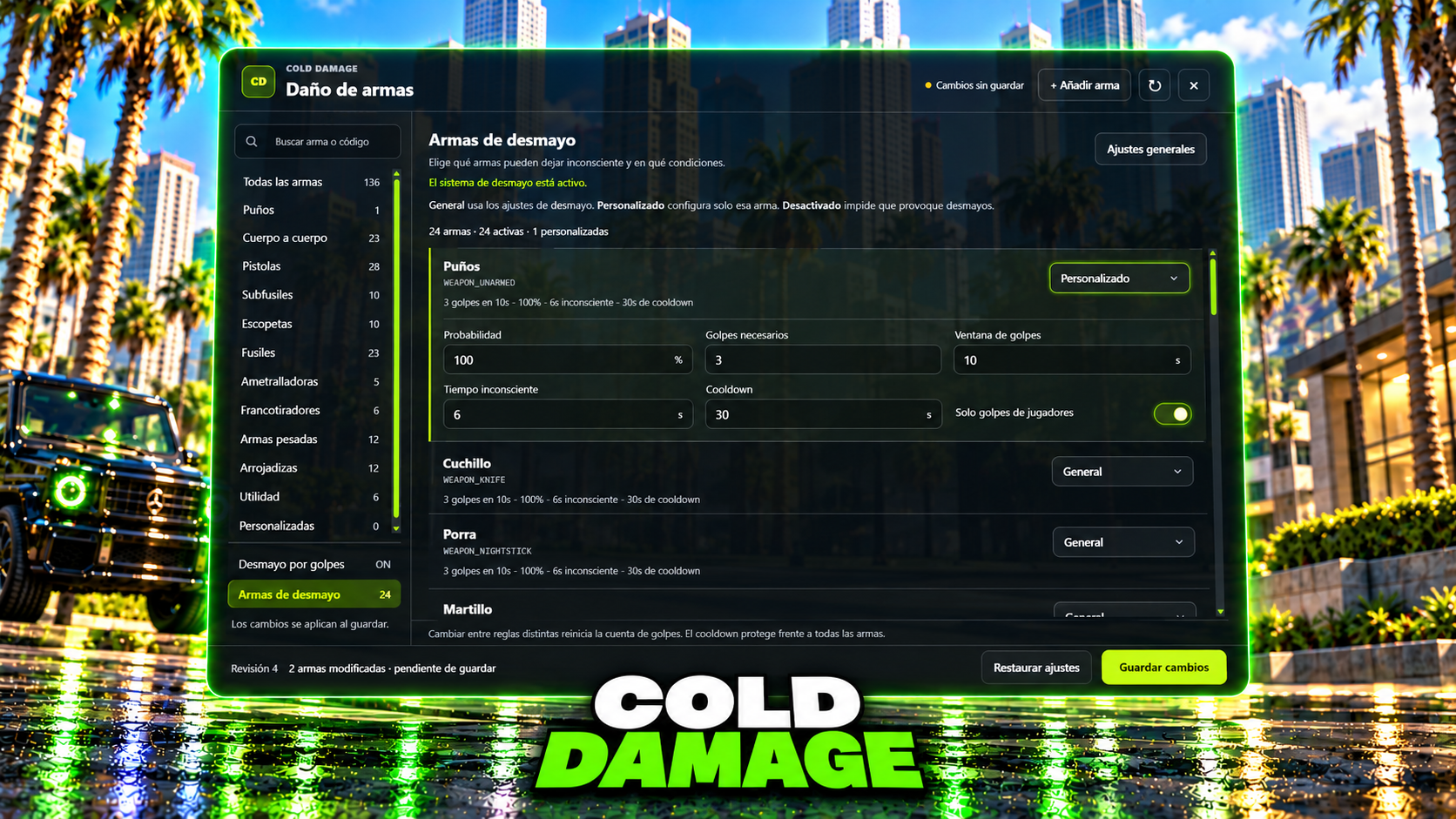
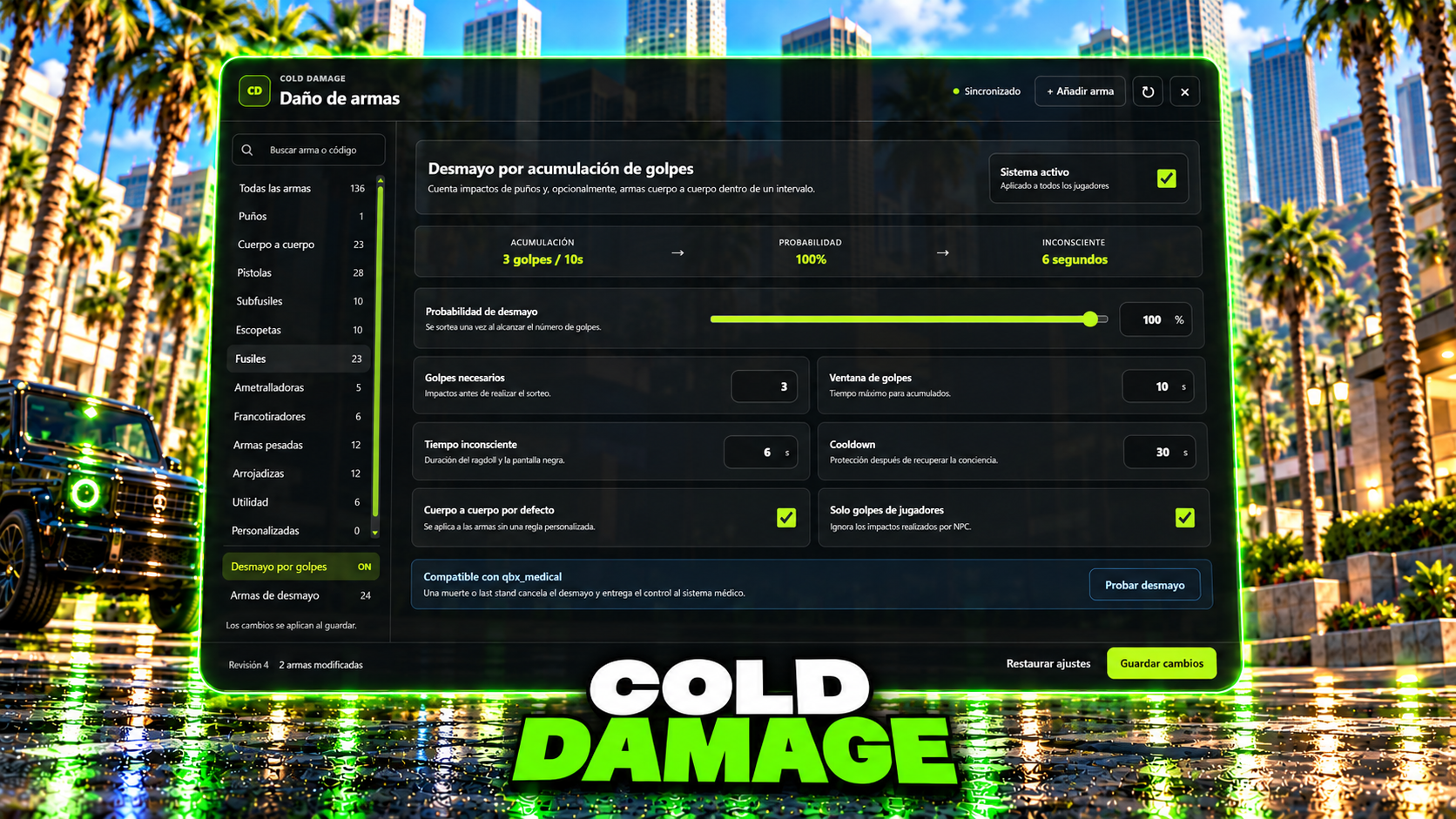
Choose how many hits can knock a player out, how quickly those hits must happen, the probability, the unconscious duration and the recovery cooldown. Keep one rule for all eligible weapons or give individual unarmed and melee weapons their own settings. A weapon can also be excluded from knockouts.
The panel includes a knockout test. When cold_ambulance or qbx_medical is running, the script checks its death and laststand states so the knockout can give control back to the medical system.
Requires cold_lib, installed separately. Start cold_lib before cold_damage, grant the cold_damage.admin ACE permission to your staff group, then use /damage in game.
English and Spanish included, selected in config.lua. Settings use FiveM KVP storage, so no SQL setup is needed. The resource does not require ESX, QBCore or Qbox core APIs.
Free resource. Weapon models, addon weapon packs and medical resources are not included.
COLD DAMAGE permite ajustar el daño de las armas y las reglas de desmayo desde tu servidor de FiveM. Abre /damage, busca el arma que quieras cambiar y guarda los ajustes. Los cambios se sincronizan con los jugadores y se conservan al reiniciar el recurso.
Puedes modificar por separado el daño corporal y el multiplicador de cabeza, bloquear armas o aplicar el mismo ajuste a una categoría completa. El buscador admite nombres y códigos de aparición. Las armas personalizadas se añaden a la lista con su spawn name; sus modelos deben estar instalados previamente en el servidor.
Elige cuántos golpes pueden dejar inconsciente a un jugador, en qué intervalo deben producirse, la probabilidad, la duración del desmayo y el cooldown de recuperación. Puedes usar una regla general o asignar ajustes propios a cada arma de puños o cuerpo a cuerpo. También puedes excluir un arma del sistema de desmayos.
El panel incluye una prueba del efecto. Si utilizas cold_ambulance o qbx_medical, el script consulta sus estados de muerte y laststand para que el desmayo pueda ceder el control al sistema médico.
Requiere cold_lib, que se instala por separado. Inicia cold_lib antes de cold_damage, concede el permiso ACE cold_damage.admin al grupo de tu equipo y abre /damage dentro del juego.
Incluye español e inglés; el idioma se selecciona en config.lua. Los ajustes se guardan mediante KVP de FiveM, sin instalar SQL. El recurso no necesita APIs del núcleo de ESX, QBCore o Qbox.
Recurso gratuito. No incluye modelos de armas, packs de armas addon ni recursos médicos.